
Will a Wearable Vibration Alarm Reliably Wake a Heavy Sleeper Without Disturbing a Partner?
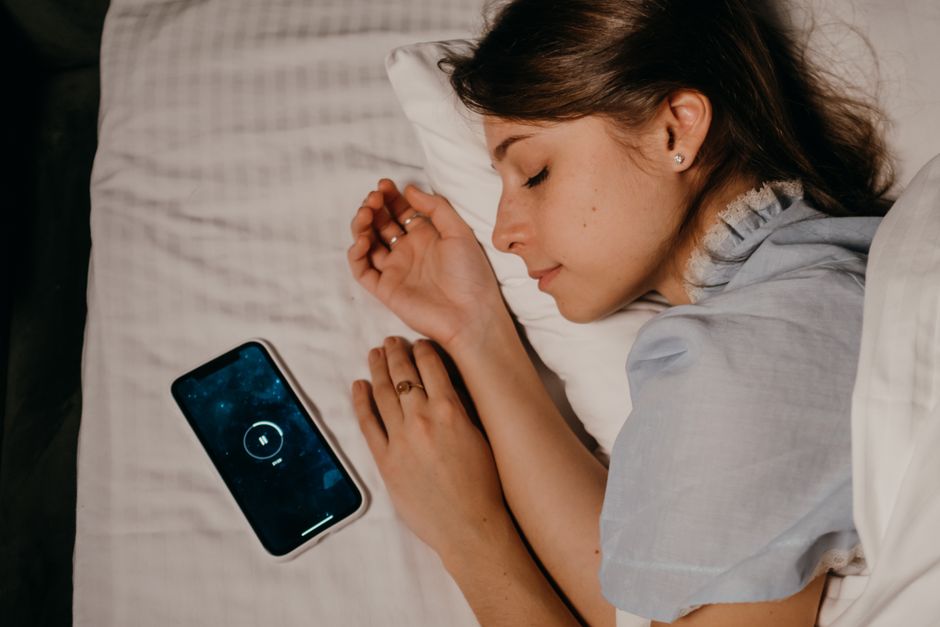
A wearable vibration alarm can wake many people without adding sound to the bedroom, but a heavy sleeper should not treat it as guaranteed. Its reliability depends on firm skin contact, the device's haptic and alarm settings, battery readiness, and individual sleep response. Test it across several nights and keep a separate tactile or sound-based backup for appointments where oversleeping has real consequences.
That is the practical standard: do not ask whether a watch vibrates. Ask whether this alarm, on this wrist, during your deepest sleep produces a wake-up response you can repeat. A silent wake-up can protect a partner's sleep, but silent is not the same as dependable.
Will a vibrating smartwatch alarm wake a heavy sleeper?
It can, but the honest answer is that it will not reliably wake every heavy sleeper. A full-night sleep study published by PubMed triggered five wristband alarms at random points during the night. Cognitive arousals occurred for 94% of alarms among healthy participants, but only 66% among participants with central hypoventilation and 63% among participants with COPD.
The important number is not the best-case result. In that study, 72% of healthy participants had a cognitive arousal for every alarm, while the corresponding figures were 37.5% and 33% in the two clinical groups. Wrist vibration is a credible wake-up tool. It is not a contract.
Use the three-night proof. Set the wearable alarm for a morning with no hard deadline, wear it as you normally would, and note whether you woke, how quickly you noticed it, and whether your partner woke. Repeat on three separate nights. One successful morning proves very little; repeated success gives you a working baseline.
| Check | What to test | Why it matters |
|---|---|---|
| Fit | Keep the back of the watch in snug, comfortable skin contact. | Vibration must transfer into the wrist rather than rattle against a loose band. |
| Alarm controls | Confirm the alarm itself has vibration enabled. | Alarm settings can be separate from notification settings. |
| Sleep response | Run the same alarm over several nights. | One wake-up does not establish reliable performance. |
| Backup | Choose another alert method for high-stakes mornings. | Research shows wrist vibration does not wake every participant every time. |
For the backup, match the stakes. A routine workday might justify a second alarm in another room or a partner-agreed sound alarm. A morning where sound is not workable calls for a stronger tactile option. In a study of adults with hearing loss during slow-wave sleep, bed shakers woke 80% and pillow shakers woke 84% at their purchased intensity. Those results do not prove that a wristwatch will perform the same way. They show why a larger tactile device deserves consideration when reliability matters.
Why is my wearable alarm vibration too weak after an update?
A weaker-feeling alarm after an update is often a settings, pattern, fit, or mode issue before it is evidence of failed hardware. Start with the simplest comparison: notification vibration and alarm vibration may be intentionally different, so do not use one feeling stronger as proof that the other is broken.
Apple Watch separates haptic controls from sound controls. According to Apple Support, the wrist-tap setting can be Default, Prominent, or Off, and Prominent adds an extra haptic tap before some alerts. That extra pre-alert can make certain notifications seem more noticeable than an alarm pattern.
Pixel Watch makes the separation even clearer. Its alarm vibration and alarm sound can be switched independently, while some modes disable notifications. Google Pixel Watch Help also describes Smart Wake as gentle, escalating sound and vibrations within a 30-minute window before the scheduled alarm. Gentle and escalating is a deliberate alarm behavior, not necessarily a weaker motor.
- Check the alarm, not just general haptics. Turn on vibration in the alarm's own settings.
- Check the haptic intensity. On supported Apple Watch models, verify that Haptics is not Off and select Prominent if that is the available stronger option.
- Check sleep and notification modes. Distinguish notification-silencing modes from alarm settings instead of assuming all alerts follow one rule.
- Check the physical transfer. Refit the band before judging the motor.
- Run a controlled test. Set a daytime alarm while awake, then compare it with a normal overnight alarm. This separates a perception problem from an alarm-configuration problem.
Do not skip the fit check because it looks obvious. Wrist-vibration research found the greatest sensitivity at about 160 Hz and also cautioned that sensitivity differs by body area. The useful takeaway from the wrist-threshold study is mechanical: sensation depends on the vibration reaching the wrist. A loose strap weakens that transfer.
Can I make my smartwatch vibration stronger?
You can usually make the alarm easier to notice by improving its setting, fit, and timing, but you cannot safely assume every watch offers a stronger motor setting. Work the controls your device actually provides, then improve the rest of the wake-up system instead of chasing a menu option that does not exist.
Use this phrase as your decision rule: “If I miss this alarm, what catches me next?” That is better than asking, “Does it feel strong right now?” A heavy sleeper needs a sequence, not a single point of failure.
First, set the strongest available haptic option and make sure the alarm's vibration is enabled. Second, tighten the band to snug but comfortable contact; Apple explicitly recommends skin contact for the best haptic results. Third, charge the wearable before sleep so the test reflects the device's normal operating condition rather than an avoidable readiness problem. Finally, test Smart Wake or other escalating behavior only if the resulting timing works for your schedule.
For a partner-sensitive setup, build a quiet-first ladder: wearable vibration first, a stronger tactile device second if you do not respond, then an agreed sound-based fallback only when the cost of missing the morning outweighs the disruption. This same planning mindset applies whenever one person's needs shape a shared trip or home decision; for another practical accessibility checklist, see How Do I Choose an Escorted Rail Holiday With Limited Mobility?.
For people who are deaf or who rely on non-auditory alerts, the wearable belongs in a system. The National Institute on Deafness and Other Communication Disorders describes alerting devices that use sound, light, vibration, or combinations, including wake-up systems with flashing lights, horns, or gentle shaking. Choose the combination based on the consequence of not waking, not on the appeal of owning fewer devices.
Your homework: run the three-night proof this week. Before bed, verify fit, haptics, alarm vibration, and charge. After each alarm, record one line: “Woke immediately,” “woke late,” or “missed it.” At the end, decide from the record whether the wearable earns the job alone or needs a backup.
Frequently Asked Questions
Which wrist placement makes a vibration alarm easier to feel?
Wear the device where its back maintains snug, comfortable contact with the skin. Apple specifically says skin contact and a snug fit support the best haptic results. A loose band adds movement between the motor and your wrist, which can make the same vibration feel less distinct.
Will a wearable vibration alarm work for a deaf person?
It can be a useful non-auditory alert, but it should be tested as part of a broader system rather than presumed sufficient for every situation. NIDCD notes that alerting devices can use vibration, light, sound, or combinations of these methods. Evidence for bed and pillow shakers is stronger than for small wrist-worn motors in the cited sleep study.
Why do notification vibrations feel stronger than my watch alarm?
They may use different patterns and settings, so the sensation is not an apples-to-apples comparison. Apple says Prominent haptics can add a pre-announcing tap for some alerts, while Pixel Watch describes Smart Wake as gentle, escalating vibrations. Check the alarm's own vibration setting before assuming the motor has weakened.
Sources
- PubMed: Awakening efficacy of a vibrotactile device in patients on home nocturnal ventilatory assistance and healthy subjects as family caregiver proxies
- PubMed: Smoke alarms for sleeping adults who are hard-of-hearing: comparison of auditory, visual, and tactile signals
- National Institute on Deafness and Other Communication Disorders: Assistive Devices
- PubMed: Vibrotactile Thresholds on the Wrist for Vibrations Normal to the Skin
- Apple Support: Adjust Volume and Haptics on Apple Watch
- Google Pixel Watch Help: Set Alarms and Manage Notifications